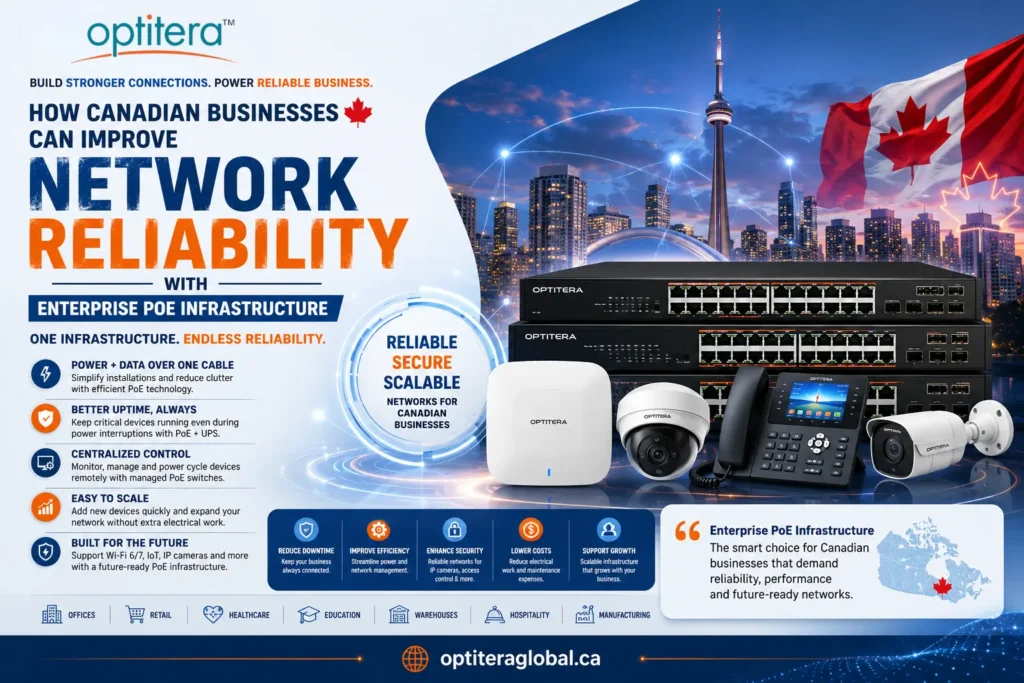

Reliable network infrastructure is essential for internet service providers, growing businesses, telecom installers, and enterprise IT teams. From high-performance routers and network switches to fiber optic components and wireless broadband equipment, choosing the right hardware supplier can influence network reliability, scalability, and project costs.
If you are searching for networking equipment suppliers in Canada, it is important to look beyond product prices. Product compatibility, stock availability, technical assistance, delivery timelines, and the ability to source equipment for larger deployments can all affect your project.
In this guide, we explain what to look for in a networking equipment supplier, which products different businesses may need, and how to select equipment for ISP, WISP, fiber, and enterprise networking projects.
Why Choosing the Right Networking Equipment Supplier Matters
A networking equipment supplier helps businesses and network professionals source the hardware required to build, maintain, and expand their infrastructure.
The right supplier can simplify procurement by offering access to networking products from multiple manufacturers, helping buyers compare suitable options, and supporting equipment selection for different deployment requirements.
When evaluating a network equipment supplier in Canada, consider these factors:
- Product range: Access to routers, switches, wireless radios, access points, fiber optic components, and accessories.
- Product compatibility: Equipment that works with your existing infrastructure and network architecture.
- Stock availability: Clear information about inventory and expected delivery timelines.
- Technical guidance: Assistance with product specifications, deployment requirements, and compatibility questions.
- Scalability: Options for small installations as well as larger ISP, WISP, and enterprise projects.
- Transparent pricing: Clear quotations, shipping costs, warranty terms, and bulk-order pricing where available.
For businesses purchasing equipment regularly, building a relationship with a dependable supplier can make procurement and network expansion more manageable.
What Types of Networking Equipment Do Canadian Businesses Need?
The equipment you need depends on your network design, number of users, coverage requirements, bandwidth targets, and future expansion plans.
1. Routers and Routing Equipment
Routers connect different networks and manage traffic between them. They are used in business offices, internet service provider infrastructure, branch networks, and wireless broadband deployments.
When selecting a router, consider routing performance, throughput, interfaces, VPN requirements, routing protocols, security features, and the number of connected users or subscribers.
Businesses and network operators can explore MikroTik networking equipment to review available products for different networking applications.
2. Network Switches
Network switches connect devices within a local area network (LAN), including computers, servers, IP cameras, access points, and other network hardware.
There are several common types:
- Unmanaged switches: Suitable for straightforward networks with basic connectivity requirements.
- Managed switches: Offer configuration and monitoring capabilities, with features such as VLANs, traffic prioritization, and network management.
- PoE switches: Supply power to compatible devices over Ethernet, reducing the need for separate power adapters.
- Fiber-capable switches: Support fiber connectivity through compatible optical interfaces or transceivers.
Before buying a switch, check the port count, port speed, uplink capacity, PoE power budget, management features, and compatibility with your existing equipment.
3. Wireless Networking Equipment
Wireless networking equipment is essential for offices, campuses, outdoor connectivity, and wireless internet service providers.
Depending on the application, a deployment may require wireless access points, customer-premises equipment (CPE), outdoor wireless radios, antennas, or point-to-point links.
For WISPs, selecting wireless equipment requires careful consideration of coverage, line of sight, interference, frequency regulations, subscriber density, and backhaul capacity.
Explore Mimosa networking products and Cambium Networks equipment to review available options for wireless networking applications.
4. Fiber Optic Networking Equipment
Fiber optic infrastructure supports high-capacity data transmission and is widely used in broadband access, enterprise connectivity, and telecom networks.
Depending on the deployment, required components may include:
- Fiber optic cables and patch cords
- Optical transceivers and SFP modules
- Fiber distribution and termination components
- Optical network terminals and related access equipment
- Connectors, adapters, and installation accessories
When purchasing fiber optic equipment, verify connector types, fiber mode, wavelength, transmission distance, data rate, and compatibility with the connected devices.
For fiber deployments, the correct combination of components is just as important as the individual product specifications.
5. Business Wi-Fi and Access Points
Businesses need dependable wireless connectivity for employees, customers, mobile devices, and cloud-based applications.
When choosing a business wireless access point, consider the Wi-Fi generation, client capacity, coverage area, mounting requirements, roaming needs, security features, and centralized management options.
The best choice depends on the environment. A small office may have different requirements from a warehouse, multi-floor building, hospitality venue, or educational campus.
6. VoIP and Communication Equipment
Businesses that use IP telephony may need VoIP phones, gateways, compatible switches, routers, and supporting network infrastructure.
Power over Ethernet can simplify installation for compatible IP phones, while appropriate bandwidth management can help maintain call quality when voice and other data traffic share the same network.
Buyers should verify SIP compatibility, required network ports, PoE requirements, provisioning methods, and integration with their existing phone system.
How to Choose a Networking Equipment Supplier in Canada
Choosing a supplier should start with your project requirements rather than a particular product or brand.
Step 1: Define Your Network Requirements
Identify the purpose of the deployment. Are you building an ISP network, expanding a business LAN, installing CCTV cameras, extending wireless coverage, or deploying fiber infrastructure?
Document your expected bandwidth, coverage area, number of users, connected devices, and growth plans.
Step 2: Check Product Range and Brand Availability
A supplier with a relevant range of products can help you compare equipment across different categories and applications.
For example, Optitera Global Canada lists networking products from brands including MikroTik, TP-Link, Mimosa, Cambium Networks, and Grandstream. You can browse its networking brands and product categories to identify products relevant to your requirements.
Confirm the availability of the specific model you need before placing an order.
Step 3: Verify Compatibility Before Purchasing
Compatibility problems can lead to delays, additional costs, and deployment issues.
Check the following before ordering:
- Router and switch interface requirements
- Ethernet port speeds and uplink capacity
- SFP or SFP+ module compatibility
- Fiber connector type and optical specifications
- PoE standards and available power budget
- Wireless frequency, antenna, and regulatory requirements
- Firmware, management, and interoperability requirements
For larger deployments, prepare a bill of materials (BOM) and verify the complete equipment list before requesting a quotation.
Step 4: Compare Total Project Cost
The lowest product price does not always result in the lowest overall project cost.
Consider equipment prices, shipping, installation accessories, configuration requirements, spare units, maintenance, and future expansion. For bulk orders, ask about volume pricing and project quotations where applicable.
Step 5: Review Shipping, Warranty, and Support
Before purchasing, confirm dispatch timelines, shipping charges, return conditions, warranty coverage, and the process for obtaining technical assistance.
For projects with installation deadlines, request confirmation of availability and delivery estimates rather than relying on general shipping claims.
Step 6: Plan for Future Growth
Choose equipment that meets current needs without making future expansion unnecessarily complicated.
Depending on the project, useful considerations may include additional switch ports, higher-capacity uplinks, support for VLANs, centralized management, modular connectivity, and sufficient routing performance.
Networking Equipment for ISPs and WISPs in Canada
Internet service providers and wireless internet service providers have different requirements from typical office networks.
An ISP may need routing platforms, fiber access equipment, optical components, aggregation switches, and subscriber connectivity equipment. A WISP may also require outdoor wireless radios, antennas, customer-premises equipment, mounting accessories, and suitable backhaul links.
When sourcing ISP networking equipment in Canada, evaluate the entire network architecture rather than selecting individual products in isolation.
Important considerations include:
- Subscriber growth and expected traffic
- Network capacity and backhaul requirements
- Fiber or wireless access technology
- Outdoor environmental conditions
- Power availability and backup requirements
- Network monitoring and troubleshooting
- Spare equipment and maintenance planning
For wireless deployments, the right equipment also depends on terrain, interference, distance, line of sight, and local spectrum requirements.
A carefully planned equipment list can help reduce compatibility issues and make future network upgrades easier.
Networking Solutions for Small and Medium-Sized Businesses
Small and medium-sized businesses need networks that support daily operations without unnecessary complexity.
A typical business network may include an internet gateway, router, network switches, wireless access points, endpoint devices, and security controls. Larger offices may also require VLAN segmentation, managed switching, fiber uplinks, redundant connectivity, and centralized network monitoring.
When purchasing business networking equipment in Canada, consider the following:
- Business size: Estimate the number of employees, endpoints, and simultaneous wireless clients.
- Application requirements: Account for video meetings, cloud applications, file transfers, VoIP, and surveillance traffic.
- Security: Review supported security features, firmware maintenance, access controls, and network segmentation.
- Reliability: Determine whether backup connectivity, redundant links, or spare hardware is necessary.
- Growth: Select products that can accommodate planned expansion.
The objective is to build a network that is suitable for the business today while remaining practical to maintain and upgrade.
Why Consider Optitera Global Canada for Networking Equipment?
Optitera Global Networks supplies telecom and networking equipment for ISPs, WISPs, system integrators, and enterprise customers. The company describes its business as having more than 17 years of experience in fiber optic and broadband infrastructure, with an Ontario-based warehouse and distribution support.
Its online product range includes networking brands such as MikroTik, TP-Link, Mimosa, Cambium Networks, and Grandstream, alongside fiber optic and related networking products.
Businesses can use the website to explore relevant product categories, compare specifications, and identify equipment for their projects. Availability and suitability should be confirmed for each product before ordering.
To get started, visit the Optitera Global Canada website or browse the complete product catalogue.
For project-specific requirements, prepare your equipment list, quantities, technical specifications, and delivery timeline before contacting the supplier.
Final Thoughts
Finding the right networking equipment supplier in Canada involves more than comparing prices. Businesses and network operators should evaluate product compatibility, availability, technical specifications, delivery terms, warranty conditions, and long-term scalability.
Whether you are expanding an ISP network, installing business Wi-Fi, deploying fiber infrastructure, or upgrading a switching environment, start with a clear understanding of your requirements and verify every component before purchasing.
Optitera Global Canada offers a range of networking and telecom products for businesses, ISPs, WISPs, and network professionals. Explore the available categories to find equipment that aligns with your deployment needs.
Frequently Asked Questions
1. How do I choose a networking equipment supplier in Canada?
Look for a supplier with relevant product categories, clear stock information, compatible equipment options, transparent shipping and warranty terms, and access to technical assistance. Compare total project costs rather than considering product price alone.
2. Where can businesses buy networking equipment in Canada?
Businesses can source networking equipment through specialist networking and telecom suppliers, authorized distributors, and online technology retailers. Confirm product authenticity, compatibility, availability, shipping, and warranty conditions before ordering.
3. What networking equipment does an ISP need?
An ISP may need routers, aggregation switches, fiber optic equipment, optical transceivers, access equipment, and subscriber connectivity devices. The exact requirements depend on whether the network uses fiber, fixed wireless, or a combination of technologies.
4. What is the difference between ISP and WISP networking equipment?
ISPs may deploy fiber, cable, or other access technologies, while WISPs deliver internet access using fixed wireless links. Both may require routing and switching equipment, but WISPs also need suitable wireless radios, antennas, and customer-premises equipment.
5. Which networking brands should businesses consider?
The right brand depends on the use case, budget, technical requirements, management features, and compatibility. Businesses can compare options from manufacturers such as MikroTik, TP-Link, Mimosa, Cambium Networks, and Grandstream based on the products required for their network.
6. What should I check before buying a network switch?
Check the number and speed of ports, uplink capacity, managed or unmanaged functionality, PoE requirements, VLAN support, mounting options, and compatibility with existing equipment.
7. How do I select fiber optic equipment for a network project?
Confirm the fiber type, connector, wavelength, data rate, transmission distance, and compatibility with the optical ports on the connected devices. For larger projects, verify the full bill of materials before ordering.
8. Can I request a quotation for bulk networking equipment?
Many networking suppliers accept enquiries for larger orders or project requirements. Prepare the product models, quantities, required specifications, delivery location, and expected timeline so the supplier can assess your request.
9. Why is product availability important when choosing a networking supplier?
Availability affects project scheduling and installation deadlines. Confirm the stock status and expected dispatch timeline for each required product, especially when several components must arrive together.
10. Does Optitera Global Canada supply networking products for ISPs and businesses?
Optitera Global Canada lists telecom, fiber optic, wireless, and networking products for ISPs, WISPs, system integrators, and enterprise customers. Buyers should check the website or contact the company to confirm the availability and suitability of specific models.